
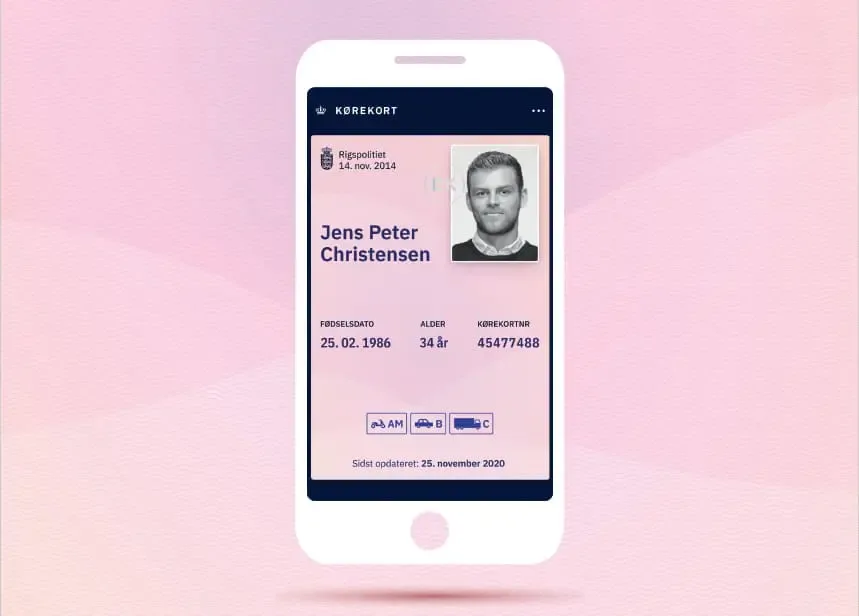
Digital driving licence in Denmark: how the driving licence app works
What is a digital driving licence?
In Denmark, the "digital driving licence" is the licence you can keep on your phone via the official driving licence app. The app is a voluntary supplement to your physical driving licence, and it can be used as a valid driving licence in Denmark. When you drive abroad, you must still bring your physical driving licence.
How to register in the driving licence app
You download the app from the App Store or Google Play and start the registration in the app. During the process, you have to scan your passport or ID card with your phone (the chip is used to retrieve your photo). The first time the app is set up, it fetches your driving licence details from the driving licence register. It can take up to 12 hours before the app is ready.
When the police ask for your driving licence
If you are stopped in Denmark, you can show your driving licence in the app. During the check, you show a QR code that the police can scan to verify that your digital driving licence is genuine and valid.
Can it be used as ID?
Yes, you can use the app as ID in the places where you would normally use your physical driving licence (for example when collecting parcels or for age verification). In some places, the staff member may ask to scan the QR code in the app to verify it.
Important to know: the app does not update automatically
If you get a new driving licence or renew your driving licence, the app is not updated automatically. You therefore have to register in the app again with your new physical driving licence, otherwise you risk your digital driving licence no longer being valid.
If you lose your phone: reset the app
If you lose your phone (or lend it out), you can reset the driving licence app so that it is no longer active on that device. This can be done via the "Administrer din kørekort-app" self-service on borger.dk (log in with MitID) or directly in the app's menu.
In short
- The app is a supplement to the physical driving licence and counts as a driving licence in Denmark.
- For travel abroad, you must still bring your physical driving licence.
- Registration requires scanning your passport/ID card, and the first retrieval can take up to 12 hours.
- During a check, you show a QR code that can be scanned.
- A new/renewed driving licence requires you to register in the app again.
- If you lose your phone, you should reset the app.
Important
This text is for guidance only and has been prepared as general information; it may contain errors or omissions or be out of date, partly because rules, digital solutions, app features and the practices of the authorities can change without notice. For the most accurate and up-to-date information, always refer to the official guidance on Borger.dk (the driving licence app). We accept no responsibility for actions or decisions made on the basis of this text.